

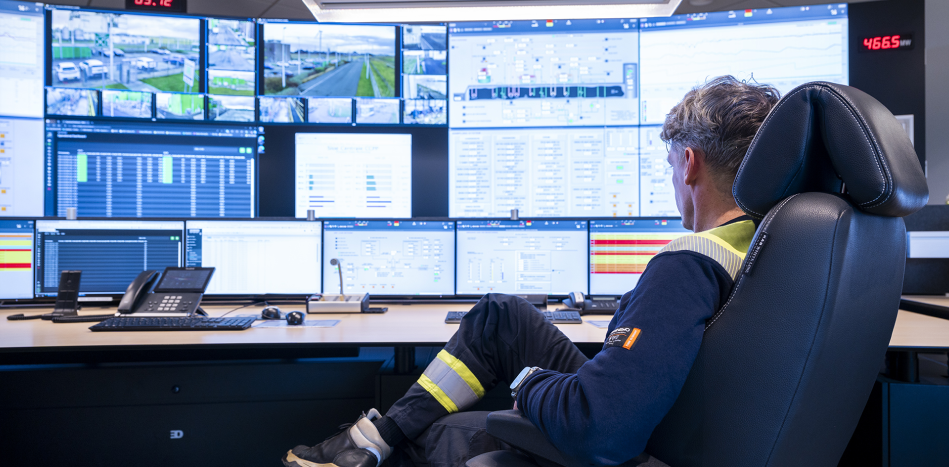
KVM solutions have become an essential component of modern control rooms. In an interview with Michael Aerts of Tein Technology, an expert in KVM solutions, it became clear just how broad the applications of these systems are and how they significantly contribute to workplace efficiency and ergonomics.
A KVM (Keyboard, Video, Mouse) solution makes it possible to centrally visualize and control multiple computers or systems using a single keyboard, monitor, and mouse. While it is easy to instantly associate such a system with an emergency or control room, KVM solutions are increasingly being adopted across a wide variety of industries today.
“In reality, KVM solutions are present in almost every industry. Large supermarkets, for example, use them to monitor logistics processes. But you will also find KVM solutions as a standard part of the interior in factories and dealing rooms where stocks are traded,” Aerts notes. “If you only have a single source, a KVM solution isn’t strictly necessary. But wherever a user wants to visualize multiple applications simultaneously and dynamically, the need for a KVM solution arises,” Aerts continues.
Efficiency Through Ergonomics
A major advantage of KVM solutions is the massive improvement in ergonomics they provide. Where massive video walls were traditionally the norm, there is now a distinct shift toward large, personalized screens for individual operators.
As Aerts puts it: “The classic video wall is fading away more and more.” These new configurations ensure that operators no longer have to constantly shift their gaze between various scattered screens, which promotes a much healthier, ergonomic working posture. “Now everything is displayed right on a large screen in front of you. Operators only need to look straight ahead.”
Every screen features a menu bar at the bottom. In this menu bar, users can select the sources and layout to be displayed on the screen. These preferences can be saved, ensuring an operator’s customized layout remains consistent every time they log in. Sources can easily be dragged into or out of the main view. With this KVM solution, you can display up to 16 sources across two screens. The windows can also be resized dynamically, allowing critical information or the primary active workspace to be magnified. This level of flexibility is what makes the solution so user-friendly.
Hardware KVM vs. IP KVM
KVM solutions can generally be divided into two main categories: Hardware KVM and IP KVM.
- Hardware KVM is based on physical, dedicated hardware used to switch between different PCs.
- IP KVM utilizes a standard network switch to manage connections.
“The main advantage of hardware KVM is that it is the fastest solution on the market. When an operator moves their mouse, there is absolutely zero perceptible latency on the screen. Additionally, hardware KVM is virtually impossible to hack. This is why sectors like Defense consistently opt for hardware KVM,” Aerts explains.
IP KVM is the more modern variant, offering greater flexibility because multiple sources can be managed via a single network switch. With IP KVM, sources are encoded and transmitted across a network. On the receiving end, decoders convert the incoming signals back into a video feed. This entire process runs seamlessly through network switches.
“With this variant, you get a genuinely dynamic multiview experience and can switch sources with a single mouse click. On the downside, the latency is slightly higher because the signal has to route through various switches,” Aerts concludes.
A Synergy of Software and Space
Tein Technology and CREON both contribute to optimizing control rooms, but they do so through different, complementary specializations. Tein Technology integrates the KVM solution into the control room architecture, enabling efficient management of multiple applications through a single, streamlined interface. This results in significantly less equipment on the desk surface, leading to a calm, clutter-free environment that boosts operational efficiency.
Conversely, CREON focuses on designing an ergonomic and functional physical environment, tailoring workstations to the precise needs of the operators. They create optimal sightlines using split-level workstations, which are ideal for handling two rows of monitors or large-format displays. Together, the two companies enhance the overall effectiveness of KVM solutions by optimizing both the software environment and the physical workspace.